
Collage Photo Frame & Editor8.1.7 - Google Play
You'll be able to see results in few seconds.
Publisher Description
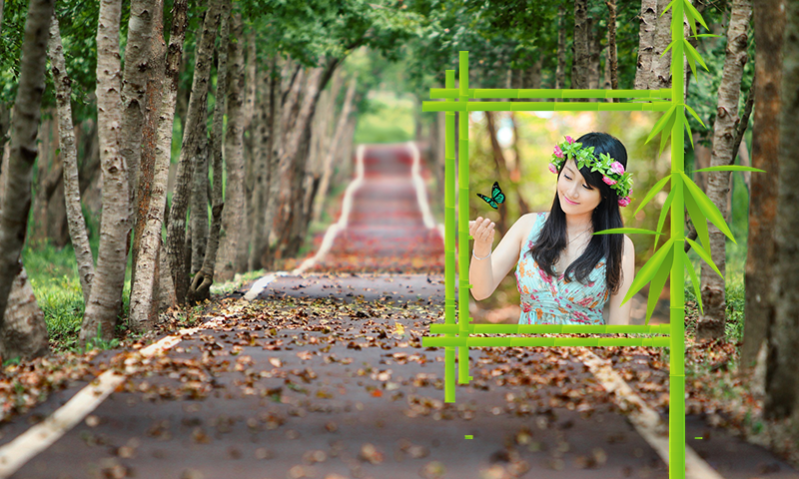


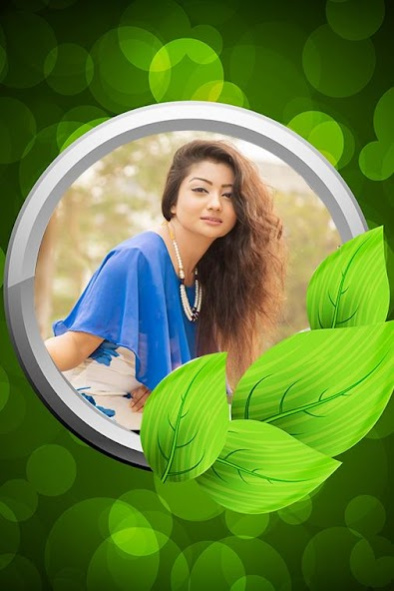
for photos includes famous garden from all over the world. We worked with famous photographers to create these wonderful
Nature Photo Frames
for you.
Share Special Garden photo frame with your friends or family members via social media.
We develop these garden photo for editor frames for pictures with most beautiful flowers and natural scenery places.
Would you like your photos to be appearing on the garden frames. Then add your your memories on these garden frames and make them unforgettable.
All nature lovers are going to absolutely love the vibrant photo frames.
Garden photo frame
application, photo framing will be done in only a couple of seconds. You can beautify any of your pictures by placing it against a backdrop of green plants and colourful flowers.
This custom application allows you to select any image from your phone’s gallery and make it more attractive. You can use the numerous filters and get the feel of being present amidst a pleasant atmosphere. You can upload the edited picture on your social media accounts or use it as a wallpaper on your devices.
Take a single
picture
or take multiple images and make them into a collage.
Download this app for free
photo editor
and let the fun begin!
If you are interesting photography to make photo better without you are going to garden frame, you can create amazing garden photo with these frames.
Stunning Photo Frame:
If you love nature and everything green and colourful, you are bound to fall in love with the
garden picture frame
application. This
online app
enables selfie-lovers and budding
photo editors
create decorative and eye-catching framing easily and quickly. If you hate the original background of the image, change it using this
Photo Frame Garden.
Interesting Frames to Prettify Your Pictures:
Do you want to make your picture better or want a
photo Frame collage
? By decorating your pictures with
transparent garden frames
, you will feel that you are surrounded by nature’s beauty.
Edit Your Photo with Garden Wallpaper Frames:
Garden photo
is a
free photo editor
that allows you to download really striking pictures that are inspired by nature. The
garden photo editor
is extremely simple to use and you can quickly turn your ordinary pictures to a real work of art. Adjust the photographs of yourself or your loved ones in awe-inspiring
transparent garden picture frame app.
This application allows you to fully express your creativity.
Simple and user-friendly interface providing amazing editing experience.
100+ photo effects
to choose from.
Garden Photo Frame Features:
● Select a picture from your gallery or click one using your camera and decorate it using this
garden photo editor.
● Simply tap to crop the photo to the desired size.
● Number of special photo filters are available to bring out the perfect moment, ranging from the dramatic to the romantic.
● This
Garden photo app
allows users to change the pattern and color of the picture, along with resizing the border.
● Images can be adjusted within the
free photo frames.
● Users can add text in any size, font, scale or colour on the frame and they also have the option of rotating the text.
● Scale, drag, rotate and zoom in-out options are available so that you can perfect fit your picture in your chosen
photo frame collage.
● Your most-liked images from Instagram, Twitter and Facebook can be exported directly.
● The edited picture can be set as an HD wallpaper.
● This app offers superior quality frames collection.
● All screen resolutions are supported by this app.
About Collage Photo Frame & Editor
The company that develops Collage Photo Frame & Editor is Quickapps. The latest version released by its developer is 8.1.7.
To install Collage Photo Frame & Editor on your Android device, just click the green Continue To App button above to start the installation process. The app is listed on our website since 2019-11-21 and was downloaded 0 times. We have already checked if the download link is safe, however for your own protection we recommend that you scan the downloaded app with your antivirus. Your antivirus may detect the Collage Photo Frame & Editor as malware as malware if the download link to com.quickcode.hd.gardenphotoframes.vq2 is broken.
How to install Collage Photo Frame & Editor on your Android device:
- Click on the Continue To App button on our website. This will redirect you to Google Play.
- Once the Collage Photo Frame & Editor is shown in the Google Play listing of your Android device, you can start its download and installation. Tap on the Install button located below the search bar and to the right of the app icon.
- A pop-up window with the permissions required by Collage Photo Frame & Editor will be shown. Click on Accept to continue the process.
- Collage Photo Frame & Editor will be downloaded onto your device, displaying a progress. Once the download completes, the installation will start and you'll get a notification after the installation is finished.
Program Details
System requirements
Download information
Pricing
Version History
version 8.1.7
posted on 2019-11-21
- Save photo in best resolution
- Improve app size & performance
- Best HD wallpaper
version 8.1.7
posted on 2019-11-21
- Save photo in best resolution
- Improve app size & performance
- Best HD wallpaper
version 8.1.6
posted on 2019-10-22
- Save Photo in High Resolution
- Improve Performance
- Best Wallpaper available
- All version supported
Disclaimer
Official Google Play Link
We do not host Collage Photo Frame & Editor on our servers. We did not scan it for viruses, adware, spyware or other type of malware. This app is hosted by Google and passed their terms and conditions to be listed there. We recommend caution when installing it.
The Google Play link for Collage Photo Frame & Editor is provided to you by apps112.com without any warranties, representations or guarantees of any kind, so access it at your own risk.
If you have questions regarding this particular app contact the publisher directly. For questions about the functionalities of apps112.com contact us.
